12 Best Database Performance Monitoring Tools in 2025
#devops#databasemanagement#monitoring#cloudinfrastructure#observability
Discover the top 12 database performance monitoring tools for 2025. Compare features, pricing, and use cases to find the best solution for your needs.


Slow queries, unexpected downtime, and resource bottlenecks can cripple applications and erode user trust. In a data-driven environment, robust database performance is the backbone of business success. But manually tracking query plans, wait times, and infrastructure health across dozens or even hundreds of instances is an impossible task. This is where dedicated database performance monitoring tools become essential. They provide the visibility, diagnostics, and AI-powered insights needed to move from reactive firefighting to proactive optimization.
These platforms solve a critical problem: they detect and diagnose performance issues before they impact end-users. Instead of sifting through logs after a crash, you can identify a problematic query in real-time, pinpoint resource contention, and get actionable recommendations for tuning. This proactive stance ensures your data layer remains fast, reliable, and scalable.
This comprehensive guide breaks down the 12 best database performance monitoring tools available today. We move beyond marketing copy to provide a detailed analysis of each solution's core strengths, practical limitations, and ideal use cases. You'll find a clear breakdown of key features, honest pros and cons, and pricing considerations to help you make an informed decision.
Each entry includes screenshots and direct links, allowing you to quickly evaluate the platforms that best fit your specific technical stack, team size, and budget. Whether you're managing on-premise SQL servers, cloud-native databases, or a hybrid environment, this resource is designed to help you select the right tool to maintain peak database health and performance.
1. Datadog - Database Monitoring
Datadog's Database Monitoring tool excels by integrating deeply within its broader observability platform, making it a powerful choice for teams already invested in the Datadog ecosystem. It moves beyond isolated database metrics to provide a unified view, connecting query performance directly to application traces, infrastructure health, and logs. This end-to-end visibility is its standout feature, dramatically simplifying root cause analysis by showing exactly how a slow query impacts user experience or relates to a spike in CPU usage on a host.

The platform normalizes query metrics across different database technologies (like PostgreSQL, MySQL, and SQL Server), allowing for consistent analysis. Key functionalities include detailed explain plan analysis, automatic detection of performance anomalies, and tag-based filtering to organize queries by team or service.
Analysis & Key Features
Datadog is ideal for DevOps and SRE teams that need to correlate database performance with the entire application stack. Its ability to layer database metrics onto dashboards alongside APM and infrastructure data is unmatched.
- Pros:
- Unified Observability: Seamlessly correlates database metrics with application traces, logs, and infrastructure for holistic troubleshooting.
- Extensive Integrations: Part of a massive ecosystem, ensuring compatibility with most modern tech stacks.
- User-Friendly: The platform supports unlimited user accounts for the DB monitoring module, encouraging team-wide collaboration.
- Cons:
- Cost Scaling: Pricing is based on the number of database hosts, which can become expensive for large, distributed environments.
- Bundled Pricing: The Database Monitoring module is typically used with Infrastructure Monitoring, increasing the overall cost of adoption.
Pricing: Datadog's Database Monitoring starts at $70 per database host, per month (billed annually). This is an add-on to their Infrastructure Monitoring plan.
2. New Relic - Database Performance Monitoring
New Relic provides a comprehensive database monitoring solution as part of its full-stack observability platform, designed to give teams real-time insights from application to database. Its core strength lies in automatic dependency correlation, which visually maps how application services interact with your databases. This context-rich view helps developers and operations teams immediately understand the blast radius of a database issue, connecting slow queries directly to their impact on end-user application performance.

The platform offers pre-built dashboards for popular databases like PostgreSQL, MySQL, and Redis, simplifying initial setup and providing immediate value. Users can dive deep into query performance, analyzing wait types and execution plans to pinpoint bottlenecks. Furthermore, the powerful New Relic Query Language (NRQL) allows for the creation of custom dashboards and alerts tailored to specific business needs, making it a flexible tool for proactive monitoring.
Analysis & Key Features
New Relic is an excellent choice for organizations seeking a unified observability platform with a transparent, usage-based pricing model. Its generous free tier is particularly attractive for smaller teams or those looking to test the platform's capabilities without an initial investment.
- Pros:
- Generous Free Tier: The free plan includes 100 GB of data ingest per month, making it accessible for startups and small projects.
- Unified Platform: Consolidates application, infrastructure, and database monitoring, reducing tool sprawl and simplifying workflows.
- Transparent Pricing: A usage-based model provides clarity and predictability as your monitoring needs scale.
- Cons:
- Instrumentation Required: Achieving deep query-level analysis requires careful setup and instrumentation of agents.
- Cost for Advanced Features: While the free tier is robust, unlocking the platform's most advanced capabilities requires upgrading to paid plans.
Pricing: New Relic offers a free-forever tier. Paid plans are usage-based, with costs determined by data ingest and the number of full-platform users.
3. Dynatrace - Database Monitoring
Dynatrace's approach to database monitoring is centered around its powerful AI engine, Davis, which provides automated, full-stack observability. It excels at mapping the entire technology stack, from user interactions down to individual database statements, offering a complete picture of how database performance impacts business outcomes. This AI-driven analysis automatically identifies the root cause of issues, distinguishing it from other database performance monitoring tools by reducing manual troubleshooting efforts.

The platform provides a unified view of database fleet health, covering everything from locks and wait states to detailed query-level profiling with execution plan analysis. Its vendor-agnostic extensions ensure broad compatibility across on-premises and cloud environments, allowing teams to monitor diverse database technologies through a single, consistent interface.
Analysis & Key Features
Dynatrace is best suited for enterprises that require automated, AI-powered root cause analysis and a deep understanding of dependencies across complex ecosystems. Its strength lies in connecting database performance not just to applications and infrastructure but also to real user experience metrics.
- Pros:
- AI-Assisted Analysis: The Davis AI engine automatically pinpoints root causes, significantly reducing mean time to resolution (MTTR).
- Full-Stack Context: Tightly integrates database, application, infrastructure, and user experience data for unparalleled context.
- Public Sandbox: Offers a playground environment to explore the platform's full capabilities before committing.
- Cons:
- Complex Pricing: The consumption-based model using Data-Driven Units (DDUs) can be difficult to predict and manage.
- Platform Dependency: Delivers maximum value when used as part of the broader Dynatrace platform, making it less ideal as a standalone tool.
Pricing: Dynatrace uses a consumption-based pricing model. Full-stack monitoring, which includes database monitoring, starts at $0.10 per hour for an 8 GiB host.
4. SolarWinds - Database Performance Analyzer (DPA)
SolarWinds Database Performance Analyzer (DPA) distinguishes itself with a deep, DBA-centric approach focused on wait-time analysis. Instead of just monitoring server health metrics, it pinpoints the exact queries and events that are making applications slow down by analyzing the time spent waiting for database resources. This agentless tool provides a clear, historical perspective on performance, making it invaluable for identifying the root causes of bottlenecks across on-premises and cloud databases like SQL Server, Oracle, MySQL, and Azure SQL.

The platform is renowned for its low performance overhead, typically consuming less than 1% of resources on the monitored instances. DPA provides actionable advice through its query and table tuning advisors, guiding database administrators on how to resolve issues rather than just reporting them. Its flexible deployment options allow it to be installed on Windows or Linux servers or directly from the Azure Marketplace, catering to diverse IT environments.
Analysis & Key Features
SolarWinds DPA is one of the best database performance monitoring tools for dedicated DBAs and teams that require granular, historical performance insights for tuning and optimization. Its strength lies in its specialized focus on the database layer, particularly in complex, hybrid environments.
- Pros:
- Deep Wait-Time Analysis: Excels at correlating wait times with specific queries, users, and application code for precise root cause analysis.
- Low Overhead: Agentless architecture ensures minimal impact on production database performance.
- Predictable Licensing: Per-instance licensing model is straightforward and easy to budget for, regardless of host size.
- Cons:
- Database-Centric: Lacks the broader, full-stack observability of platforms like Datadog, focusing primarily on the database.
- Alert Configuration: May require initial tuning to customize alerting thresholds and reduce out-of-the-box noise.
Pricing: SolarWinds DPA is offered via subscription or perpetual license. Subscription pricing starts at $1,334 per database instance.
Visit SolarWinds DPA
5. SolarWinds - SQL Sentry (formerly SentryOne)
SolarWinds SQL Sentry is a specialized and powerful database performance monitoring tool designed for Microsoft data professionals. It excels in managing large-scale SQL Server and Azure SQL estates, offering deep diagnostic capabilities that go beyond surface-level metrics. Its primary strength lies in providing a granular, second-by-second view of performance, enabling DBAs to conduct precise root-cause analysis for complex issues like blocking, deadlocks, and inefficient queries.

The platform features a highly visual Performance Analysis Dashboard that consolidates key metrics, historical data, and query execution plans in one place. It provides advanced alerting, index analysis, and dedicated support for technologies like SQL Server Analysis Services (SSAS) and Always On Availability Groups. This focused approach makes it a go-to solution for organizations heavily invested in the Microsoft data ecosystem.
Analysis & Key Features
SQL Sentry is ideal for dedicated database administrators and teams managing hundreds of mission-critical SQL Server instances. Its detailed, forensic-level data capture and analysis tools are tailored for deep-dive troubleshooting rather than general-purpose observability. The active user community, THWACK, also provides a valuable resource for support and best practices.
- Pros:
- Microsoft Specialization: Unmatched depth for monitoring SQL Server, Azure SQL Database, and related Microsoft technologies.
- Large-Scale Management: Built to scale and effectively manage hundreds of database instances from a single console.
- Granular Data: Provides highly detailed, real-time and historical performance data for pinpoint problem resolution.
- Cons:
- Limited Scope: Almost exclusively focused on Microsoft platforms, making it unsuitable for heterogeneous database environments.
- Potential Overlap: Can have feature and licensing redundancy for customers already using SolarWinds Database Performance Analyzer (DPA).
Pricing: SQL Sentry pricing is quote-based. A fully functional 14-day trial is available.
6. Redgate Monitor (formerly SQL Monitor)
Redgate Monitor offers a specialized, deep-dive monitoring solution primarily for Microsoft SQL Server estates, with growing support for PostgreSQL. Its strength lies in providing a global dashboard that seamlessly integrates both on-premises and cloud-based instances, giving DBAs a single pane of glass for their entire hybrid environment. The tool is known for its detailed query impact analysis, which helps users quickly identify and prioritize the most resource-intensive queries that are slowing down the system.

Unlike broad observability platforms, Redgate focuses purely on the database layer, offering highly relevant and actionable insights. It comes with over 65 pre-configured, customizable alerts based on industry best practices, complete with baselines to reduce alert fatigue. A key differentiator is its integration with other Redgate tools like Flyway, which adds deployment context to performance changes, helping teams correlate a new release with a sudden drop in database health.
Analysis & Key Features
Redgate Monitor is purpose-built for database administrators and teams who need comprehensive, SQL Server-centric database performance monitoring tools without the complexity of a full-stack observability suite. Its clear focus makes it exceptionally powerful for troubleshooting and optimizing database-specific issues.
- Pros:
- Deep Database Focus: Excels in providing granular, actionable insights specifically for SQL Server and PostgreSQL.
- Hybrid Environment Support: A global overview dashboard effectively monitors both on-premises and cloud databases together.
- Clear Licensing: Straightforward per-server licensing model and a live online demo make evaluation easy.
- Cons:
- Niche Specialization: Lacks the broader application and infrastructure context found in unified observability platforms.
- Cost for Large Estates: The per-server licensing model can become expensive for organizations with a very large number of servers.
Pricing: Redgate offers custom quotes based on the number of servers. A live, interactive online demo is available for evaluation.
7. IDERA - SQL Diagnostic Manager for SQL Server
IDERA's SQL Diagnostic Manager is a purpose-built, comprehensive tool designed exclusively for Microsoft SQL Server environments. It excels by providing deep, specialized diagnostics that generic database performance monitoring tools might miss. The platform offers a granular view of performance, focusing on critical areas like wait-time analysis, query plan tuning, and real-time session monitoring. This singular focus on SQL Server makes it a go-to choice for DBAs who need to manage complex, enterprise-scale SQL Server deployments, whether they are on-premises, in the cloud, or in a hybrid setup.

Its strength lies in its proactive alerting and historical trend analysis. SQL Diagnostic Manager comes with over 100 pre-configured alerts based on industry best practices, helping teams identify issues like blocking, deadlocks, and resource contention before they escalate. Additional modules for workload analysis and query tuning provide even deeper visual insights, making it easier to pinpoint and resolve performance bottlenecks.
Analysis & Key Features
IDERA is tailor-made for dedicated SQL Server DBAs and teams that require robust, specialized monitoring and tuning capabilities. Its ability to scale and manage thousands of instances with features like silent installation makes it highly suitable for large enterprises.
- Pros:
- Deep SQL Server Specialization: Offers highly detailed metrics and tuning workflows specifically for SQL Server.
- Hybrid Environment Support: Seamlessly monitors instances across on-premises, cloud (Azure, AWS), and managed services.
- Enterprise Scalability: Built to manage and monitor thousands of SQL Server instances from a single console.
- Cons:
- Vendor Lock-In: It is exclusively for SQL Server and lacks support for other database engines like PostgreSQL or MySQL.
- Modular Cost: Key features like advanced workload analytics are available as separate add-ons, which can increase the total cost.
Pricing: IDERA offers pricing by quote. A free, fully functional 14-day trial is available.
8. ManageEngine - Applications Manager (Database Monitoring)
ManageEngine's Applications Manager serves as a comprehensive IT monitoring solution where database performance monitoring is a core component. It stands out by offering a broad, all-in-one approach suitable for SMBs and enterprises that need to monitor databases alongside their applications and infrastructure without stitching together multiple tools. The platform provides essential database performance metrics, configurable thresholds, and detailed reporting capabilities for a wide range of database types, including SQL, NoSQL, and in-memory databases.

Its strength lies in its flexibility, supporting both on-premise and cloud deployments. With its APM Insight agents, teams can perform deep transaction tracing, connecting query performance back to specific application code. The Enterprise edition is particularly well-suited for distributed architectures, making it a reliable choice for organizations managing complex, hybrid environments.
Analysis & Key Features
Applications Manager is best for IT teams seeking a unified monitoring tool with transparent, scalable pricing. Its broad feature set covers the entire IT stack, though it may feel less specialized for dedicated database administrators compared to niche database performance monitoring tools.
- Pros:
- Flexible Licensing: Offers a choice between subscription and perpetual licensing models, with clear, tiered pricing.
- Unified Monitoring: Monitors databases, applications, and infrastructure from a single console, simplifying IT operations.
- Specialized Add-ons: Provides optional add-ons for specific enterprise technologies like SAP and IBM i, extending its capabilities.
- Cons:
- Potential for Alert Noise: The extensive feature set can require careful configuration to filter out irrelevant alerts and focus on critical issues.
- Generalist UI: The user interface is designed for broad IT monitoring rather than deep, specialized database analysis, which may not suit all DBAs.
Pricing: ManageEngine offers a free edition for up to five monitors. Paid plans (Professional and Enterprise editions) are available with both annual subscription and perpetual license models. Pricing is tiered based on the number of monitors, starting from 10 and scaling to 750+.
9. Percona - Monitoring and Management (PMM)
Percona Monitoring and Management (PMM) stands out as a completely free and open-source database performance monitoring tool, making it a top choice for organizations prioritizing budget and flexibility. It offers robust monitoring for MySQL, PostgreSQL, and MongoDB, delivering detailed dashboards, in-depth query analytics, and performance advisors. PMM is designed for self-hosting, providing users with full control over their data and monitoring environment, whether on-premises, in the cloud, or in a hybrid setup.
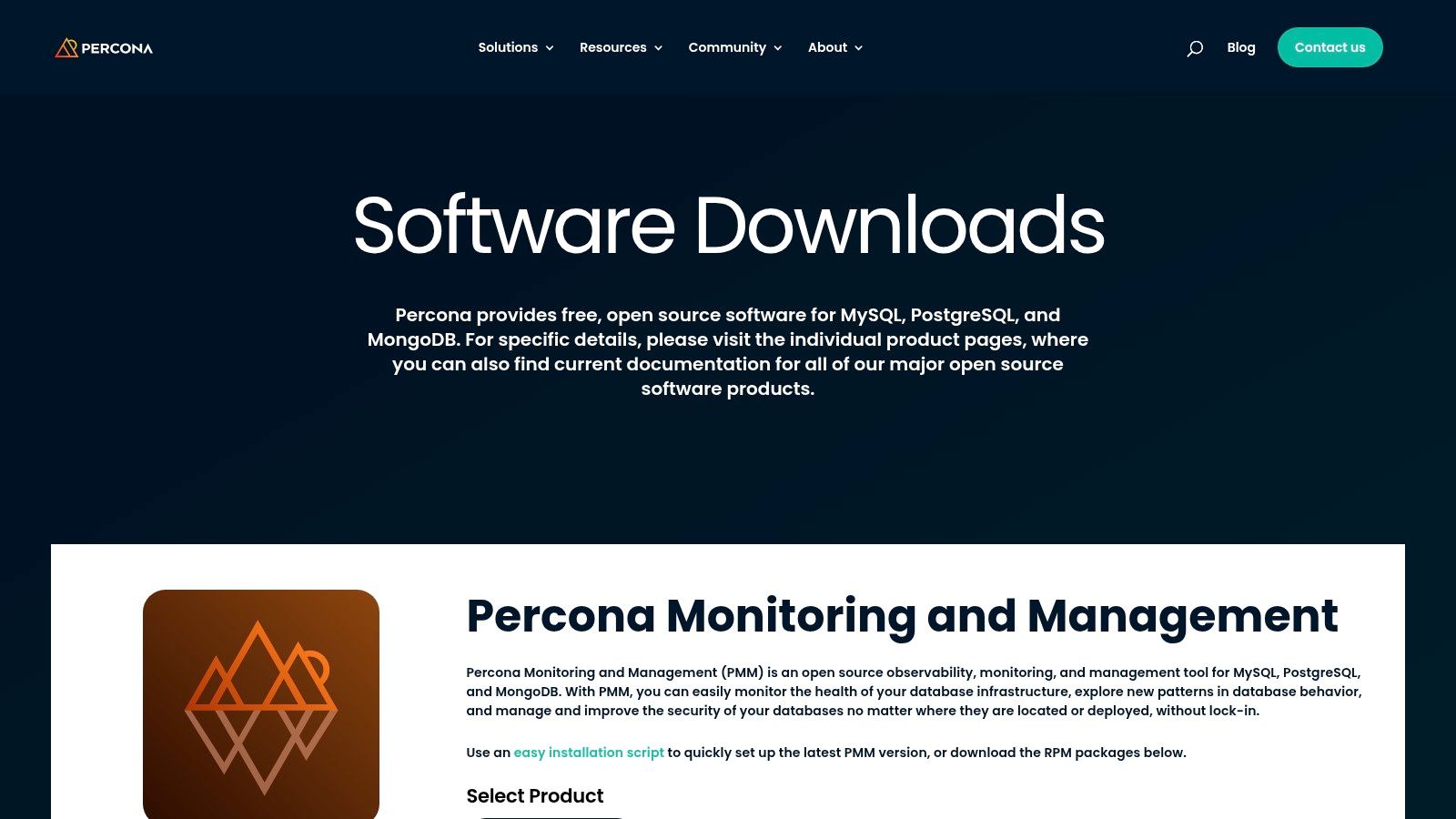
Built on a foundation of popular open-source technologies like Grafana for visualization and Prometheus for data collection, PMM provides a familiar and powerful interface. It includes features like Query Analytics (Q-An) to identify problematic queries and database advisors that offer targeted recommendations for performance improvements. Installation is streamlined with Docker images and easy-to-use scripts, lowering the barrier to entry.
Analysis & Key Features
PMM is ideal for technically proficient teams who want a powerful, no-cost monitoring solution and are comfortable with a DIY approach to setup and maintenance. Its value lies in providing enterprise-grade features without the licensing fees, backed by a strong community and the option to purchase enterprise-level support from Percona's database experts.
- Pros:
- Completely Free & Open-Source: No licensing costs for the PMM software itself, making it highly cost-effective.
- Strong Community Support: Benefits from extensive community contributions, active forums, and detailed documentation.
- Optional Enterprise Support: Teams can purchase 24x7 support subscriptions from Percona for mission-critical deployments.
- Cons:
- Requires Self-Management: The DIY nature means teams are responsible for setup, maintenance, and upgrades, unlike a SaaS solution.
- Steeper Learning Curve: May require more initial configuration and expertise compared to turnkey commercial tools.
Pricing: The Percona Monitoring and Management (PMM) software is 100% free and open-source. Paid support contracts and managed services are available for enterprise needs.
10. Cisco AppDynamics - Database Monitoring
Cisco's AppDynamics offers a powerful database monitoring module that is tightly integrated within its market-leading Application Performance Management (APM) platform. Its core strength lies in providing seamless, cross-tier visibility, allowing teams to trace performance issues from an end-user business transaction all the way down to a specific SQL query or database wait state. This end-to-end context is crucial for large enterprises looking to understand the full impact of database health on application performance and business outcomes.
The platform provides deep diagnostic capabilities, including detailed query analysis, execution plans, and resource consumption metrics. It excels in complex, hybrid environments, supporting databases both on-premises and in the cloud. By connecting database metrics directly to application code, AppDynamics helps developers and DBAs collaborate effectively to resolve bottlenecks faster.
Analysis & Key Features
AppDynamics is purpose-built for enterprise organizations that require a holistic view of performance and have already adopted or are considering its APM solution. It shines in environments where understanding the intricate relationship between application code and database calls is a top priority.
- Pros:
- Strong application-to-database correlation: Provides full-stack troubleshooting by linking business transactions directly to database performance.
- Enterprise-level support: Backed by Cisco, offering robust support and integrations within its ecosystem.
- Comprehensive Diagnostics: Delivers deep insights into query execution plans, wait states, and resource usage.
- Cons:
- Complex Pricing: Pricing models can be intricate, and the database module is part of broader platform editions.
- Best Value in Ecosystem: The tool's full potential is realized when used as part of the integrated AppDynamics platform, not as a standalone solution.
Pricing: AppDynamics offers custom pricing based on the specific edition and scale of deployment. You must contact their sales team for a quote.
11. AWS Marketplace - Database Monitoring listings
AWS Marketplace serves as a curated digital catalog, making it easier for organizations heavily invested in the AWS ecosystem to find, buy, and deploy database performance monitoring tools. Instead of being a single tool, it's a central hub where numerous third-party vendors list their solutions. This simplifies procurement and billing by consolidating software costs into a single AWS bill, streamlining the entire purchasing and deployment process for teams operating within Amazon Web Services.

The platform offers a variety of deployment options, including one-click Amazon Machine Images (AMIs) and containerized solutions that are pre-configured for AWS environments. This integration significantly reduces the setup friction often associated with adopting new monitoring software. Users can discover and compare various database performance monitoring tools from different independent software vendors (ISVs) side-by-side.
Analysis & Key Features
AWS Marketplace is ideal for procurement teams and engineering managers who want to leverage their existing AWS relationship to acquire best-in-class monitoring solutions without complex vendor onboarding. The ability to negotiate private offers and flexible contracts directly through the platform makes it a strategic choice for enterprise-level deployments.
- Pros:
- Simplified Procurement: Consolidates software purchases into a single AWS bill, simplifying accounting and budget management.
- Wide Selection: Provides access to a diverse range of database monitoring tools from various vendors in one place.
- Streamlined Deployment: Offers pre-configured AMIs and containers for quick and easy deployment into AWS environments.
- Cons:
- Vendor Lock-in: Tightly coupled with the AWS ecosystem, making it less suitable for multi-cloud or on-premise monitoring needs.
- Pricing Complexity: Costs vary significantly between vendors, requiring careful analysis to understand the total cost of ownership for each solution.
Pricing: Pricing is determined by the individual vendor for each listing and can range from free trials to enterprise-level contracts. Many listings offer pay-as-you-go or annual subscription models.
12. Azure Marketplace - SolarWinds Database Performance Analyzer and others
The Azure Marketplace provides a streamlined channel for deploying established database performance monitoring tools directly within the Azure ecosystem. Instead of a standalone tool, it acts as a procurement and deployment platform, offering solutions like SolarWinds Database Performance Analyzer (DPA) with native Azure integration. This approach simplifies billing by consolidating it under your existing Azure subscription and accelerates setup by using pre-configured templates, removing significant manual installation and configuration overhead.

This method is ideal for organizations heavily invested in Azure, as it allows tools like SolarWinds DPA to be managed as another Azure resource. You can deploy it to monitor Azure SQL, SQL Server on VMs, and other supported databases with pricing and plans presented upfront in the marketplace listing. The primary benefit is the operational efficiency gained from centralized management and billing.
Analysis & Key Features
For teams standardized on Azure, the Marketplace is the most direct path to acquiring powerful database monitoring capabilities without leaving their cloud environment. It leverages Azure's governance and resource management frameworks, making procurement and deployment a seamless part of existing cloud operations rather than a separate, disjointed process.
- Pros:
- Native Procurement: Centralizes billing and procurement through your existing Azure subscription for simplified accounting.
- Faster Deployment: Utilizes marketplace templates for a much quicker and easier setup compared to a manual installation.
- Centralized Management: Manages third-party tools alongside native Azure services within the same subscription framework.
- Cons:
- Limited Selection: The marketplace offers a curated but narrower selection compared to a vendor's full product catalog.
- Potential for Extra Costs: Users must account for both the software subscription and underlying Azure infrastructure costs.
Pricing: Varies by vendor. For example, SolarWinds DPA is available with different plans based on the number of monitored database instances, with costs billed through your Azure account.
Database Performance Monitoring Tools Comparison
| Solution | Core Features | User Experience / Quality | Value Proposition | Target Audience | Price & Licensing |
|---|---|---|---|---|---|
| Datadog - Database Monitoring | Query tracking, explain plans, PII obfuscation | Unified dashboards, infrastructure-app correlation | Large integrations, unlimited users | Large DB estates, DevOps teams | Can scale quickly, add-on pricing |
| New Relic - Database Performance | DB topology, wait types, prebuilt dashboards | Generous free tier, usage-based pricing | Unified platform, easy onboarding | Broad full-stack monitoring | Free tier + paid tiers available |
| Dynatrace - Database Monitoring | AI-driven profiling, locks, wait states | AI root cause, integrated UX monitoring | Strong AI analysis, full-stack context | Enterprise full-stack observability | Complex pricing, best in platform |
| SolarWinds - Database Performance Analyzer (DPA) | Wait-time analysis, agentless, multi-DB support | Mature DBA diagnostics, predictable cost | Strong multi-DB, hybrid environments | DBAs, mixed on-prem/cloud users | Per-instance licensing |
| SolarWinds - SQL Sentry | Deep SQL Server insights, alerting, dashboards | Scales to hundreds of instances | Microsoft SQL focus, active updates | Large MS SQL Server estates | Licensing overlaps with DPA |
| Redgate Monitor | Hybrid monitoring, customizable alerts, integrations | Clean UI, strong docs, community support | Clear per-server licensing, hybrid ready | SQL Server & PostgreSQL DBAs | Per-server licensing, tier upgrades |
| IDERA - SQL Diagnostic Manager | Wait analysis, blocking detection, real-time alerts | Scales large, hybrid support | SQL Server tuning focus | SQL Server DBAs | Add-ons increase cost |
| ManageEngine - Applications Manager | Broad monitoring, APM agents, hybrid support | Tiered pricing, subscription or perpetual | Flexible pricing, broad tech support | SMB to enterprise IT ops | Tiered pricing, add-ons |
| Percona - Monitoring and Management | Query analytics, Grafana, open-source | Free, strong community, DIY setup | No license cost, optional paid support | Open-source advocates, DBAs | Free tool, paid support optional |
| Cisco AppDynamics - DB Monitoring | Query plans, wait states, cross-tier drill-down | Enterprise support, integrated Cisco ecosystem | Best with full AppDynamics suite | Cisco ecosystem users | Complex pricing, integrated value |
| AWS Marketplace - DB Monitoring | Wide tool selection, one-click deploy, billing integration | Simplifies procurement, consolidated billing | Variety & flexibility within AWS ecosys | AWS users, enterprises | Varies by listing, AWS tied |
| Azure Marketplace - SolarWinds DPA | Azure-native deployment & billing, governance | Centralized Azure management | Faster deployments for Azure users | Azure-centered enterprises | Charges + marketplace fees |
Choosing Your Tool: Beyond the Feature List
Navigating the landscape of database performance monitoring tools can feel overwhelming. After reviewing a dozen powerful solutions, from comprehensive observability platforms like Datadog and New Relic to specialized, deep-dive analyzers like SolarWinds DPA and Redgate Monitor, it's clear that there is no single "best" tool for everyone. The right choice is not about finding the longest feature list; it's about aligning a tool's core strengths with your specific operational reality.
The key takeaway from this deep dive is that the market for database monitoring solutions has diverged into distinct philosophies. On one side, you have integrated observability platforms. These tools, including Datadog, Dynatrace, and Cisco AppDynamics, excel at correlating database metrics with application traces, logs, and infrastructure health. They answer the "why" behind a performance issue by showing its ripple effects across your entire stack.
On the other side are the specialist tools. Solutions like SolarWinds SQL Sentry, IDERA SQL Diagnostic Manager, and Redgate Monitor are purpose-built for database administrators. They provide unparalleled depth into query plan analysis, index optimization, and instance-specific diagnostics. Their focus is less on the broad application context and more on granular, expert-level database tuning.
Making the Right Decision for Your Team
To move from analysis to action, your selection process should be guided by a clear understanding of your environment and goals. Your choice will fundamentally depend on answering a few critical questions about your organization's needs.
Consider these key factors before making a final decision:
- Ecosystem Integration: Does your organization already use a platform like Datadog or New Relic for APM? If so, integrating database monitoring into your existing dashboard provides a single pane of glass, which can dramatically streamline incident response and reduce tool sprawl.
- Team Expertise: Is your team composed of dedicated DBAs who need deep, surgical-precision tools like SQL Sentry? Or do you have full-stack developers who would benefit more from a high-level, correlated view that an observability platform provides?
- Primary Pain Points: Are you struggling with slow, complex queries that need granular analysis? Or are your main challenges related to resource contention (CPU, memory, I/O) that impacts overall application stability? The former points toward a specialist tool, while the latter suggests a broader platform.
- Database Diversity: If you manage a heterogeneous environment with PostgreSQL, MySQL, and SQL Server, a vendor-agnostic tool like Percona Monitoring and Management (PMM) or ManageEngine Applications Manager offers essential flexibility. In contrast, if you are a dedicated SQL Server shop, a specialized tool like Redgate Monitor might be a more powerful fit.
- Cloud vs. On-Premises: Your infrastructure strategy matters. Organizations heavily invested in a specific cloud provider can leverage marketplace options from AWS and Azure for simplified billing and procurement. Meanwhile, on-premises or hybrid environments may require tools with more flexible deployment models.
Implementation: The Final, Crucial Step
Remember that selecting one of these powerful database performance monitoring tools is only half the battle. Successful implementation requires careful planning. This includes defining meaningful alert thresholds to avoid alert fatigue, establishing clear dashboards for different stakeholders (executives, developers, DBAs), and integrating the tool into your existing incident response workflows. The most significant ROI comes not just from the tool itself, but from how effectively your team adopts it to proactively identify and resolve issues before they impact your end-users. Your database is the heart of your application; arming your team with the right visibility is a strategic investment in reliability, performance, and ultimately, customer satisfaction.
Making the right choice and ensuring a smooth implementation can be complex. The experts at Pratt Solutions specialize in helping organizations evaluate, deploy, and optimize monitoring platforms to transform their database performance from a bottleneck into a competitive advantage. Visit Pratt Solutions to learn how our tailored consulting can help you unlock the full potential of your data infrastructure.